
Yahoo Sports: Scores and News
YahooSports
4.741.60K Reviews
- Version
- Varies With Device
- Installs
- 10.00M
- Age Rating
- Everyone 10+
Screenshots
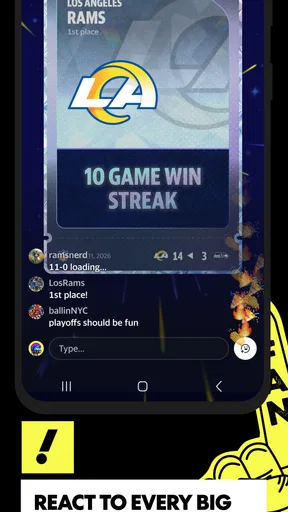
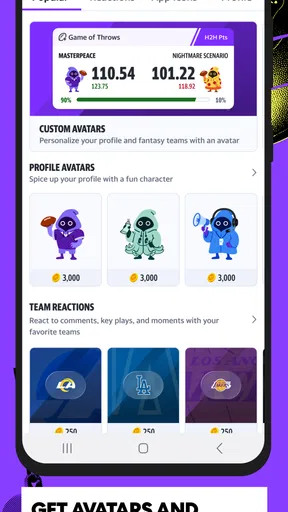
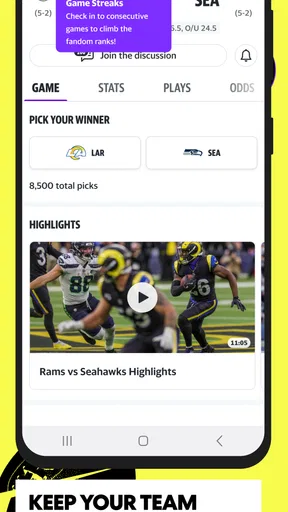
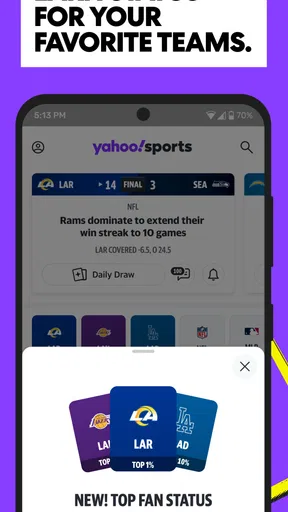
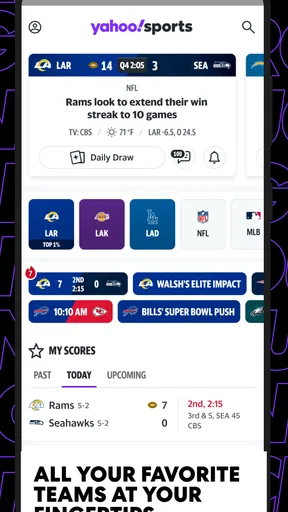
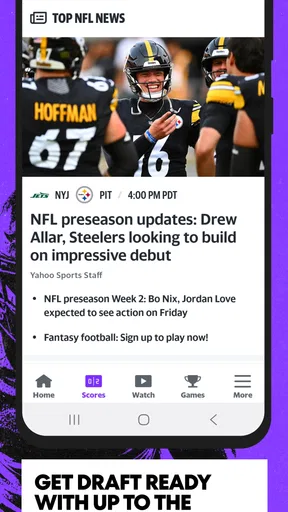
Our Review of Yahoo Sports: Scores and News
 Analysis by Appyee
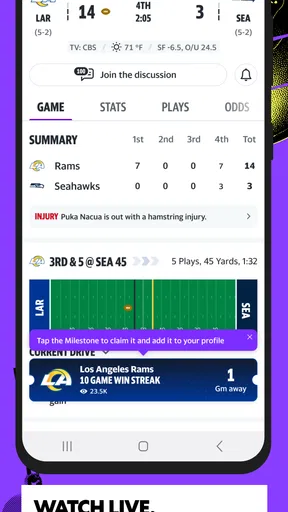
I use sports apps for one simple reason: I want the important update without having to search through several league pages, social feeds, and news sites. Yahoo Sports: Scores and News takes that everyday need and brings NCAA, MLB, NBA, and other sports into one place. It is a free sports app from Yahoo, aimed at people who want live scores, team alerts, statistics, and highlights while moving through a busy day.
My overall impression is that it works best as a quick information companion rather than a complete replacement for every league-specific service. The app is easy to understand once I have chosen the teams and competitions I care about, and its broad coverage is useful when my interests change with the season. At the same time, the experience depends heavily on notification choices, screen reading comfort, and how much detail I expect from a sports tool.
How Yahoo Sports feels to use across different situations
I find Yahoo Sports most useful when I treat it as a flexible checkpoint rather than a feed I need to follow continuously. The same team-focused setup can serve a quick glance between errands or a more deliberate catch-up when I have time, but those situations call for different notification habits. Thinking about the context first helps me decide which parts of the app deserve my attention.
Readability and navigation for quick score checks
The strongest part of the experience is the basic path from opening the app to finding a current result. A sports app becomes frustrating when I have to dig through headlines before reaching the game I actually want. Here, the value comes from organizing live information around teams, leagues, and ongoing events, so I can use it during a short break instead of committing to a long browsing session.
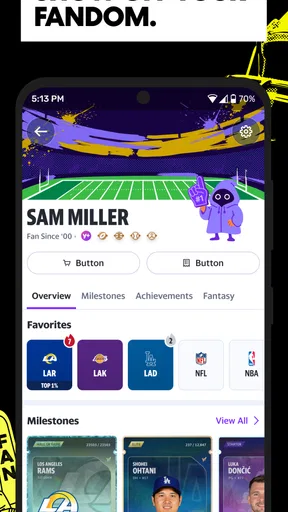
I found the team-centered approach more useful than treating the app as a general news feed. Once I focus on the clubs or college teams I follow, the stream feels more relevant and the alerts become easier to interpret. This matters for readers who may find a crowded home screen tiring or distracting. Personalizing the experience early is not just convenient; it reduces the amount of visual and mental filtering required later.
The combination of scores, statistics, news, and highlights also supports different reading styles. I can glance at a score when I have only a few seconds, inspect numbers when I want context, or move into a story when I have more time. That layered design is more practical than forcing every user into the same depth of coverage.
Yahoo Sports has a 4.7 average from around 211 thousand ratings, which matches my sense that the central workflow is familiar and dependable for a large audience. I would not treat that figure as proof that every screen works equally well for every person, but it does suggest that the basic score-and-alert model is easy for many users to adopt.
For readers with attention difficulties, the ability to return to a selected team can be more helpful than browsing every available sport. I recommend starting with a small group of favorites rather than selecting everything immediately. That keeps the app from turning into a constant wall of updates and makes it easier to recognize which notification deserves attention.
Text-heavy sports stories are a different matter. The app is primarily designed around fast-moving information, so anyone who needs very large text, unusually strong contrast, or a highly simplified interface should check how the screen feels on their own phone. System text settings may help, but I would not assume that every element scales in exactly the same way.
Motor and sensory considerations in everyday use
For motor accessibility, the main advantage is that the app can reduce repeated searching. Choosing a team once and then returning to its updates is less demanding than entering the same league or club name again and again. That is especially useful when I am holding a phone with one hand, walking between rooms, or trying to check a score while carrying something.
The trade-off is that sports apps naturally contain many interactive areas: team selectors, tabs, stories, score panels, video or highlight controls, and alert settings. A user with limited precision may find dense screens less comfortable than a very focused scoreboard. I would use the app deliberately, favoring the most direct team or score view instead of tapping through every available section.
Notifications can help people who cannot constantly watch a screen, but they can also become a sensory burden. A stream of alerts may interrupt concentration, especially during a busy workday or for someone sensitive to repeated sounds and vibrations. My practical advice is to enable only the events that genuinely matter, such as a favorite team’s game status, and leave broader news alerts off until I know I want them.
The app’s mix of headlines, numbers, and highlights also means that sensory comfort will vary. Some people enjoy having several kinds of information together; others may prefer a quiet score check without images or extra stories. Yahoo Sports is more flexible when I treat those areas as separate tools rather than trying to consume the entire feed at once.
For users who rely on spoken output, the most important question is how the current device and operating system interpret the app’s controls and live information. I would test a score screen, a team-selection screen, and an alert-setting screen before depending on it during an important match. A sports app can be visually clear while still becoming awkward if labels are read in an unexpected order.
I also would not assume that highlights are equally useful for everyone. Video can add context for a viewer who wants to see a key moment, but a short written update or statistic may be the better option for someone who cannot use audio or video in a particular setting. The app’s value does not disappear when I skip highlights; its scores and news remain the more dependable everyday functions.
Situational access when time, noise, or attention changes
A realistic use case for me is following an evening game while preparing dinner. I do not want to keep a live broadcast open or repeatedly search the web with wet hands and limited attention. A selected-team alert can tell me that something important happened, while a quick return to the app gives me the score and basic context when I am free to look.
The same workflow works during a commute, although I would avoid interacting with the phone while moving. A notification can answer the immediate question, and I can read the fuller update later. This separation between passive awareness and active reading is one of the app’s most practical strengths.
It is also useful when several sports overlap. During one part of the year I may care about college games, baseball, and basketball at the same time. Switching between separate league apps can create extra sign-ins, different layouts, and a confusing collection of alert systems. Yahoo Sports gives me a single place to monitor those interests, which lowers the effort of keeping track of a mixed sports calendar.
That breadth is valuable for families and shared conversations too. I may follow one team closely while a friend or relative follows another sport entirely. Instead of installing a separate tool for every discussion, I can use one general sports app to check the relevant score or headline. It is not a substitute for deep specialist coverage, but it is convenient for broad awareness.
The app is available at no cost, making it easy to try without turning the decision into a subscription commitment. Its content rating is Everyone 10+, so it is positioned for a broad audience rather than a narrowly adult sports community. Parents and caregivers should still consider how many alerts and how much news exposure are appropriate for the individual user, particularly when a phone is shared.
Yahoo Sports has been available since June 28, 2016, and its continued presence helps explain why it feels like a general-purpose sports destination rather than a temporary single-season tool. Yahoo is the developer, and the app has passed over 10 million installs. Those figures indicate a substantial audience, but they do not remove the need to judge the interface against personal reading, hearing, movement, and attention needs.
Where it compares well with usual alternatives
Compared with searching a league website every time I want a result, this app is faster for personal follow-up. I do not have to remember where each competition places its scoreboard, and I can keep several interests in one routine. Compared with a social media feed, it is also easier to separate useful game information from unrelated posts and arguments.
League-specific apps can be better when I want the deepest material from one competition, a highly specialized schedule, or a more focused fan community. I would choose that kind of service if one sport dominates my life and I need its particular tools every day. Yahoo Sports is the better fit when my attention moves between NCAA, MLB, NBA, and other sports and I want one familiar starting point.
News aggregators may offer a wider range of general reporting, but they often make sports updates compete with unrelated topics. Yahoo Sports keeps the purpose clearer. On the other hand, a simple scoreboard can be calmer and quicker for someone who wants only final results. If headlines, statistics, and highlights feel like clutter, a minimal score tool may be a better match.
The important trade-off is breadth versus depth. Yahoo Sports saves me from maintaining several sports destinations, but a broad app cannot always feel as tailored as a specialist service. I see it as a hub: excellent for monitoring, checking, and catching up, while dedicated league resources remain worthwhile for users who need comprehensive coverage of one competition.
Remaining barriers and practical ways around them
The first barrier is information density. Live sports produce constant changes, and a screen that is helpful to one person can feel overwhelming to another. I deal with this by choosing only priority teams, checking scores through the shortest available route, and opening stories selectively instead of scrolling without a goal.
The second barrier is alert management. Notifications are powerful only when they remain meaningful. Too many can create stress, interrupt sleep, or make an important update harder to notice. I would begin with one team and one type of alert, observe how often the app speaks up, and then expand or reduce the settings based on real use.
A third barrier is the difference between accessible content and accessible controls. A score may be easy to understand visually but still require careful testing with a screen reader, magnification, or alternative input method. I would not wait until a major game to discover a problem. Testing the app with the device features I already rely on is the most sensible approach.
Connectivity and context can matter as well. A live sports experience is most useful when current information can reach the phone, but I should not plan around uninterrupted attention or an always-available connection. If I am entering a noisy venue, working, driving, or conserving battery, I may only get value from a brief alert rather than the full in-app view.
Another limitation is that highlights are not automatically the best format for every user. Someone with hearing loss may prefer written updates, while someone with visual fatigue may favor an audio route or a short notification if the device supports it. Since people use phones in very different ways, I judge the app by its score and news workflow first and treat richer media as optional.
There is also a privacy-of-attention issue that is easy to overlook. A notification arriving at the wrong moment can reveal a sports interest on a lock screen or distract from a task. I would review the phone’s notification display options and keep sensitive previews limited when necessary. That is not a special Yahoo Sports feature; it is a sensible way to make any alert-based app fit a shared or public environment.
Who should use it and who should skip it
I recommend Yahoo Sports to a fan who follows multiple sports, wants timely score awareness, and prefers a free all-rounder over several specialist apps. It is particularly practical for people who move between college sports, baseball, basketball, and other competitions throughout the year. The ability to combine quick checks with deeper statistics and news gives the app more range than a bare scoreboard.
I would also recommend it to someone who wants to reduce repeated searching. Setting up favorite teams, controlling alerts, and using the app as a central checkpoint can save time during a packed day. The best results come from treating personalization as part of the setup rather than accepting every default stream.
I would suggest a different option to a user who wants an extremely quiet interface containing only scores, or to a fan who needs highly specialized coverage from one league. I would also be cautious about recommending it as the sole tool for someone who depends on a particular assistive technology without first testing the important screens. The app may work well in that setup, but personal compatibility matters more than a general reputation.
For a reader with visual, hearing, motor, or attention-related needs, my advice is to evaluate the app in the exact circumstances where it will be used. Try a quick score check, read a story, change a favorite, and manage an alert. If those actions feel comfortable with the phone’s accessibility settings, the broad coverage becomes a real advantage. If they feel tiring, a narrower app may be kinder even if it offers fewer sports.
My inclusive verdict after regular use
The most inclusive way to use Yahoo Sports is to make it smaller and more personal than its full catalog. I select the teams that matter, keep alerts purposeful, and use scores for quick awareness before opening longer articles or highlights. That approach respects limited time, limited attention, and different sensory preferences without pretending that one layout can suit everyone perfectly.
What I like most is the balance between immediacy and choice. I can glance at a result, investigate statistics, or catch up through news depending on my energy and situation. The app’s free access and broad sports focus make it approachable, while its large installed audience shows that it has become a familiar option for many fans.
What keeps me from calling it universally ideal is the same breadth that makes it useful. More sports and more content can mean more visual competition, more decisions, and more alerts to control. Users who need a minimal interface or a deeply specialized league experience may be happier elsewhere. For everyone else, a careful setup turns Yahoo Sports into a practical daily companion rather than another noisy feed.
After weighing readability, motor effort, sensory load, and real-world situations, I see it as a strong choice for flexible sports tracking. I would install it for a friend who wants one dependable place to follow several teams and is willing to spend a few minutes tailoring notifications. I would not install it blindly for someone with strict accessibility requirements, but I would absolutely encourage a personal trial using their normal device settings. That honest test is the best way to decide whether its wide coverage feels empowering or simply crowded.
Verdict
Strengths of Yahoo Sports: Scores and News
- Fast score updates for major leagues and competitions.
- Personalized alerts help track favorite teams and games.
- Includes schedules, standings, stats, and sports news in one app.
- Clean interface makes switching between sports straightforward.
- Free access to a broad selection of sports coverage.
Limitations of Yahoo Sports: Scores and News
- Some features and coverage vary depending on your location.
- Frequent notifications may feel excessive unless carefully customized.
- Advertising can take up space during browsing.
- Live video and premium content may require separate access or subscriptions.
- Coverage depth is stronger for popular U.S. sports than niche leagues.
Other Releases by Yahoo
View All
Yahoo Mail: Email & Planner
Communication4.2

Yahoo News: Daily News For You
News & Magazines4.5

Yahoo Finance: Stocks & News
Finance4.6

Vetted AI Smart Shopping Agent
Shopping4.3
Similar Picks in This Category
View All
BeSoccer: Soccer Live Score
BeSoccer apps4.3

Cricbuzz - Live Cricket Scores
Cricbuzz.com3.7

NFL
NFL Enterprises LLC2.4

Da Fit
MO YOUNG LIMITED3.6

ESPN
Disney4.5

LiveScore: Live Sports Scores
LiveScore Limited4.5
You May Also Like
View All

Frequently Asked Questions
What is Yahoo Sports: Scores and News used for?
Yahoo Sports: Scores and News is designed for following live sports action in one place. After exploring the app, I found that it combines real-time scores, schedules, standings, news stories, game updates, and personalized coverage for popular leagues and teams. It is especially useful for users who want quick updates without opening several separate sports websites or apps.
Which sports and leagues are covered in Yahoo Sports?
The app covers a broad selection of sports, although the exact availability can vary by country and season. Users can generally expect coverage for major American leagues such as the NFL, NBA, MLB, and NHL, along with college sports and other competitions. Before downloading, remember that some leagues, teams, features, or news sources may not be available in every region.
Can I personalize Yahoo Sports with my favorite teams and leagues?
Yes, personalization is one of the app’s most useful features. You can select favorite teams, leagues, and sports so the home screen and notifications focus on the events that matter most to you. During testing, this made it easier to find relevant scores and headlines, although you may need to adjust notification settings if you follow many teams and want to avoid receiving too many alerts.
Does Yahoo Sports provide live scores and game notifications?
Yahoo Sports provides live score updates for many supported games, along with schedules, standings, play-by-play information, and important game events. You can also enable alerts for selected teams or competitions. Update speed may depend on your internet connection, the sport, and the data provider, so the app should be viewed as a convenient tracking tool rather than a guaranteed replacement for official league broadcasts.
Does Yahoo Sports stream live games or require a subscription?
Yahoo Sports may offer access to selected live events, video content, highlights, or links to available broadcasts, but streaming availability depends heavily on location, league rights, and the specific competition. Some content may require a separate television provider, subscription, or authenticated service. The app can be downloaded and used for scores and news, but users should check the event details before assuming every game can be watched directly.
